
The flow I follow while writing articles - Issue #33
Let's discuss in this issue about the process I followed while writing and editing my articles.

Introduction
Hello Guys,
Welcome to the latest issue of the Source Code - The Newsletter. To whoever is new to this, we discuss technical writing and social media presence as a developer. You can find the previous issue from Susbtack here:

Now let’s get started with this week’s issue.
The flow I follow while writing articles
Here the flow means the process from beginning to end that I followed while writing my article. We are going to look into a different section of writing an article. Along with that, I will mention the tools too that I use.
Finding Topics
I don’t use a lot of tools for finding articles. Most of the ideas for the article came to my mind. I have a notion template for curating all of my ideas. Along with that, I also surf dev.to and Hashnode for finding ideas sometimes.
A few of my articles came when I was learning that stuff. So, You can write an article on the topic that you are currently learning.
Writing Article
After finding good topics, it’s time for writing. If I am the only one writing then I directly write on either dev.to or hashnode. But for collaboration purposes, I use Dropbox paper for writing my articles.
In the article, I start with an introduction that I feel is the most important part of your article to grab their eyes. So, mention the problem, a solution that elaborates in the article, I also give an outline of the article too. Then the article started and I discuss the topic in detail.
In the end, I add a connect with me section. In this, I give my Twitter and LinkedIn. At the last the conclusion where I summarize the topic. Along with that thank them for reading the article.
Editing the article
You should read the article once it is completed. This will let you in finding many errors that you miss while writing the article. Work on those errors.
You can also use Grammarly for reducing grammar errors. And use hemingwayeditor for chopping lengthy sentences.
Designing the Cover Image
In the beginning, I used to have different styles for the cover image. But I change it to maintain a consistent design for my cover image. In this, I just have to change the image and the title.
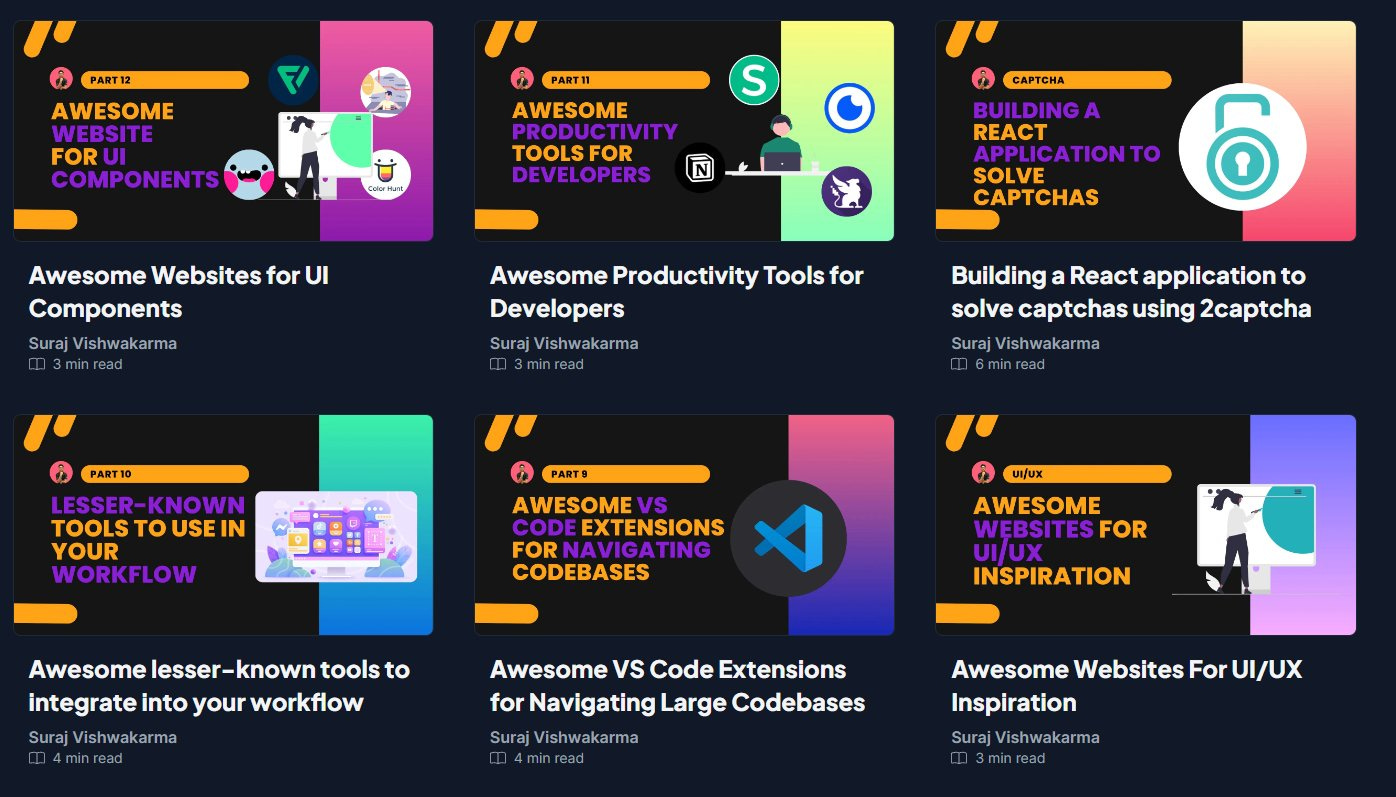
As a tool, I use canva for designing my cover.
Setting up the article
I use series to keep similar articles in the same series. In this way, users can look into the previous article and interact with them too. My original article publishes on my website, surajondev.com, and then used canonical/republishing URLs to post on other platforms.
I choose to write a tag as per my article requirements.
Publishing the article
I publish my article on 4 platforms. Here are those:
surajondev.com (My blogging webiste)
dev.to/surajondev (My dev.to profile)
surajondev.hashnode.dev (My Hashnode-powered self-hosted blog)
tealfeed.com/surajondev (My tealfeed account)
I aim for publishing two post weekly. It depends on time, you can also aim for once a week. Don’t go below this. Whatever you choose, maintain consistency in writing those articles.
As for the day, I post one article on Monday and another on Thursday. The gap gives me time to write an article. Both days are quite good for publishing articles. For timing, I publish my articles sharp at 5 PM IST. I feel it’s a great time for publishing the article and I have numbers to show the importance of the timing. I scheduled the article can’t post on so many platforms at the same time.
Conclusion
This is the flow that I follow while writing an article. You can also try to implement this and see what works for you or not. You can also build your own flow that fits best for you. This will help you in creating more and waste less time.
I hope this issue has helped you understand my flow and will also lead to finding your own flow while writing the article. Thanks for reading this week’s issue.
Technical Writing Tips on my Social Media
Currently, I am running a hashtag #100tipsoftechnicalwriting to share technical writing tips every day. Today is day 9 of it. This newsletter will cover a lot but if you want to learn everyday then you can connect with me on Twitter.


Have you read our latest article?
How to Write an Awesome Readme
After the code, the readme is the most important thing to add to your project. Readme will be referred to as docs for small libraries and projects.
6 Awesome frameworks for Web Development
A list of awesome web development frameworks including for frontend, backend, and CSS that will help you build faster web applications
Building a Music Player in React
We are going to build a music player in React using the use-sound library.